Welcome to YOKOHAMA CONNÉCT 2nd Anniversary! * 全セッション同時翻訳ツールで提供(テキストのみ)| All sessions are provided with simultaneous translation tool (text only) 下記にてイベント会場、参加登録方法、オンライン参加方法について記載しております。 イベント当日までにご確認ください🙌 Below, you’ll find information about the event venue, how to register, and how to join online. Please take a moment to review the details before the event day ✅ —— 11月11日はオープニングから早くも2年が経ち、2周年記念を皆様と一緒に盛大に祝うため、フル回転で準備を行なっています! 11月からセッション数を増やし、もっとコンテンツを楽しめるため、通常60分出会ったセッション枠を45分に変えることによって1イベント3セッションから4セッションを提供していきたいと思います。 ❏ セッション一覧 【16:30 - 17:00】How to enjoy YOKOHAMA CONNÉCT【日本語&English】 【17:00 - 17:45】Physical AI - スタートアップとものづくり企業の融合で生まれる新たなチャンス【日本語】 【17:45 - 18:30】「横浜の未来を、語る人から、つくる人へ」 〜3年後の横浜のイノベーションエコシステムを考える〜【日本語】 【18:30 - 20:00】GLOBAL STARTUP PITCH【英語】 November 11th marks two years since our opening! We are working at full speed to prepare for a grand 2nd-anniversary celebration with all of you. Starting in November, we are increasing the number of sessions so you can enjoy even more content. By adjusting our standard 60-minute session slots to 45 minutes, we will now offer four sessions per event instead of three. ❏ Session List 【4:30 pm - 5:00 pm】How to Enjoy YOKOHAMA CONNÉCT [Japanese & English] 【5:00 pm - 5:45 pm】Physical AI – Unlocking New Opportunities Through Collaboration Between Startups and Manufacturing Companies [Japanese] 【5:45 pm - 6:30 pm】Shaping Yokohama’s Future: From Visionaries to Changemakers – Envisioning Yokohama’s Innovation Ecosystem Three Years from Now [Japanese] 【6:30 pm - 8:00 pm】GLOBAL STARTUP PITCH [English] --- ❏ 開催形式 | Event format 現地参加のみ or ハイブリッド(現地参加・オンライン視聴 | In-person participation / Online Participation) —— ■ 会場 | Venue 現地会場 | Venue:TECH HUB YOKOHAMA 住所 | Access:横浜市西区みなとみらい2丁目2番1号 横浜ランドマークタワー TECH HUB YOKOHAMA —— ■ 参加登録方法 | How to Register 「Register to Event」ボタンより参加登録をお願いいたします! | Click the “Register to Event” button to sign up! === ■ オンライン参加方法について | How to Join Online セッション一覧に表示される「Join Remotely」ボタンより参加いただけます。 YOKOHAMA CONNÉCT開始時間になりましたら、セッション枠の下に「Join Remotely」ボタンが表示されます。 そのボタンをクリック後、オンライン参加いただけます。 *オンライン参加には、参加登録が必要です。本ページの「Register for Event」ボタンより参加登録をお願いいたします。 You can join the session by clicking the “Join Remotely” button shown in the session list below. Once YOKOHAMA CONNÉCT starts, the “Join Remotely” button will appear below each session. Click the button to join the session online. *Please note that registration is required to join the event online. To register, click the “Register for Event” button on this page.
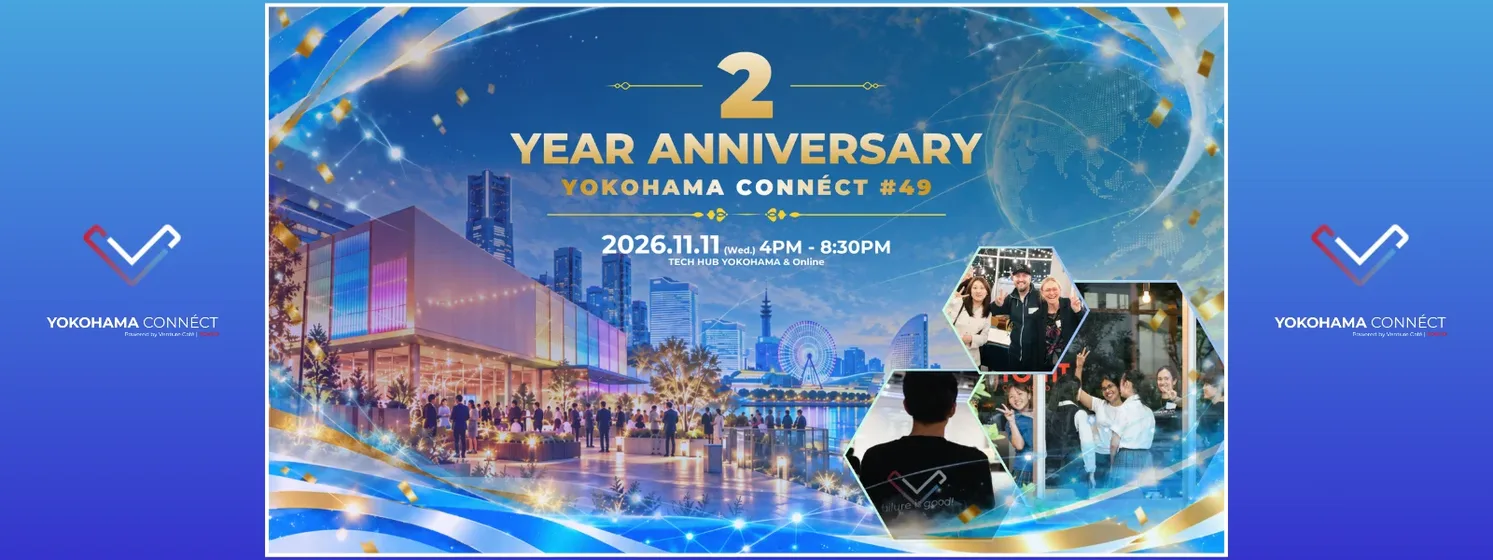
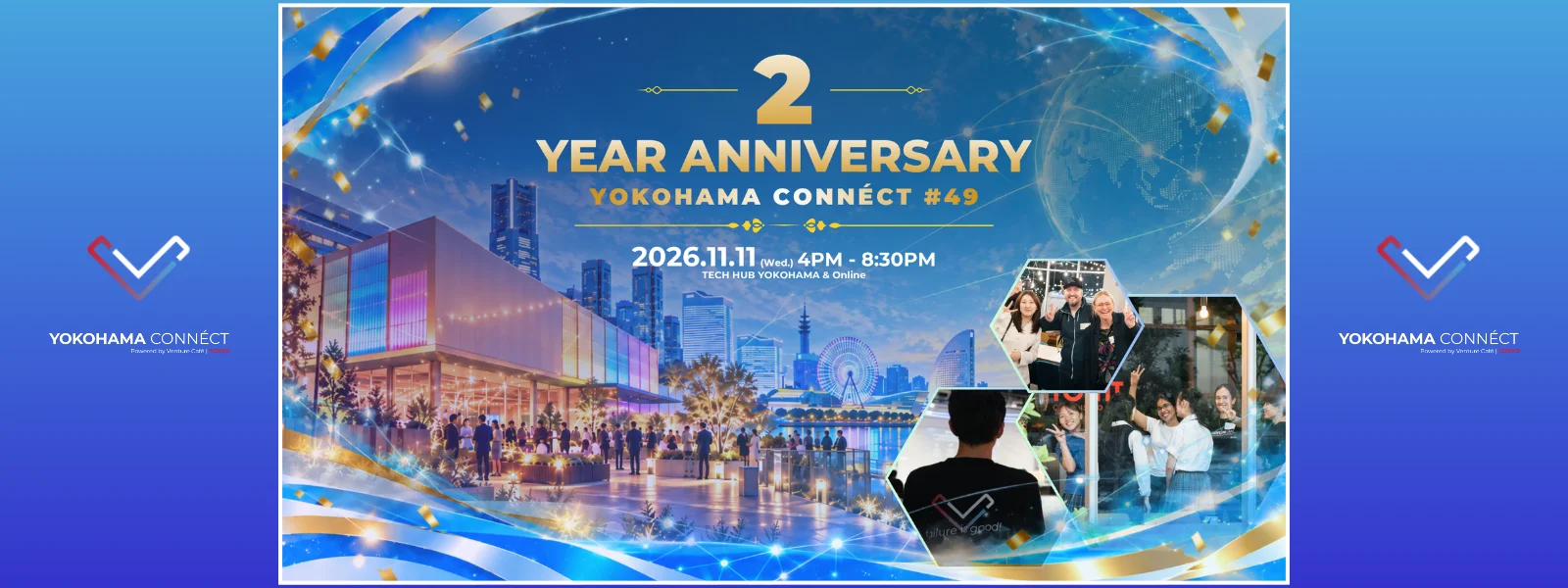
Welcome to YOKOHAMA CONNÉCT 2nd Anniversary!
* 全セッション同時翻訳ツールで提供(テキストのみ)| All sessions are provided with simultaneous translation tool (text only)
下記にてイベント会場、参加登録方法、オンライン参加方法について記載しております。
イベント当日までにご確認ください🙌
Below, you’ll find information about the event venue, how to register, and how to join online. Please take a moment to review the details before the event day ✅
——
11月11日はオープニングから早くも2年が経ち、2周年記念を皆様と一緒に盛大に祝うため、フル回転で準備を行なっています!
11月からセッション数を増やし、もっとコンテンツを楽しめるため、通常60分出会ったセッション枠を45分に変えることによって1イベント3セッションから4セッションを提供していきたいと思います。
❏ セッション一覧
- 【16:30 - 17:00】How to enjoy YOKOHAMA CONNÉCT【日本語&English】
- 【17:00 - 17:45】Physical AI - スタートアップとものづくり企業の融合で生まれる新たなチャンス【日本語】
- 【17:45 - 18:30】「横浜の未来を、語る人から、つくる人へ」 〜3年後の横浜のイノベーションエコシステムを考える〜【日本語】
- 【18:30 - 20:00】GLOBAL STARTUP PITCH【英語】
November 11th marks two years since our opening! We are working at full speed to prepare for a grand 2nd-anniversary celebration with all of you.
Starting in November, we are increasing the number of sessions so you can enjoy even more content. By adjusting our standard 60-minute session slots to 45 minutes, we will now offer four sessions per event instead of three.
❏ Session List
- 【4:30 pm - 5:00 pm】How to Enjoy YOKOHAMA CONNÉCT [Japanese & English]
- 【5:00 pm - 5:45 pm】Physical AI – Unlocking New Opportunities Through Collaboration Between Startups and Manufacturing Companies [Japanese]
- 【5:45 pm - 6:30 pm】Shaping Yokohama’s Future: From Visionaries to Changemakers – Envisioning Yokohama’s Innovation Ecosystem Three Years from Now [Japanese]
- 【6:30 pm - 8:00 pm】GLOBAL STARTUP PITCH [English]
---
❏ 開催形式 | Event format
現地参加のみ or ハイブリッド(現地参加・オンライン視聴 | In-person participation / Online Participation)
——
■ 会場 | Venue
現地会場 | Venue:TECH HUB YOKOHAMA
住所 | Access:横浜市西区みなとみらい2丁目2番1号 横浜ランドマークタワー TECH HUB YOKOHAMA
——
■ 参加登録方法 | How to Register
「Register to Event」ボタンより参加登録をお願いいたします! | Click the “Register to Event” button to sign up!
===
■ オンライン参加方法について | How to Join Online
セッション一覧に表示される「Join Remotely」ボタンより参加いただけます。
YOKOHAMA CONNÉCT開始時間になりましたら、セッション枠の下に「Join Remotely」ボタンが表示されます。
そのボタンをクリック後、オンライン参加いただけます。
*オンライン参加には、参加登録が必要です。本ページの「Register for Event」ボタンより参加登録をお願いいたします。
You can join the session by clicking the “Join Remotely” button shown in the session list below.
Once YOKOHAMA CONNÉCT starts, the “Join Remotely” button will appear below each session.
Click the button to join the session online.
*Please note that registration is required to join the event online. To register, click the “Register for Event” button on this page.